> For the complete documentation index, see [llms.txt](https://docs.b2b-sellers.com/b2b-platform/llms.txt). Markdown versions of documentation pages are available by appending `.md` to page URLs; this page is available as [Markdown](https://docs.b2b-sellers.com/b2b-platform/3/developer-guides/b2bsellers-core-plugin/storefront.md).
# Useful Storefront Shopping World Elements
## Shopping World Elements
We have developed some meaningful shopping world elements for our B2B suite. You can use them or extend them completely free.
### Plugin: B2bSellersCore
#### Dashboard Buttons
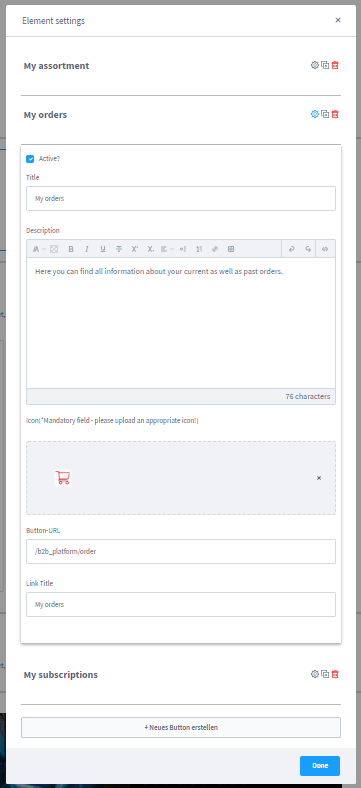
The Dashboard Buttons have been developed so that you can easily and quickly set up the dashboard for your customers and shoppers.\
You can edit the dashboard buttons freely and by default you can use the fields "Title", "Description", "Icon", "Button Url" and "Link Title".

### Plugin: B2bBlockCollection
#### Bootstrap Block Collection
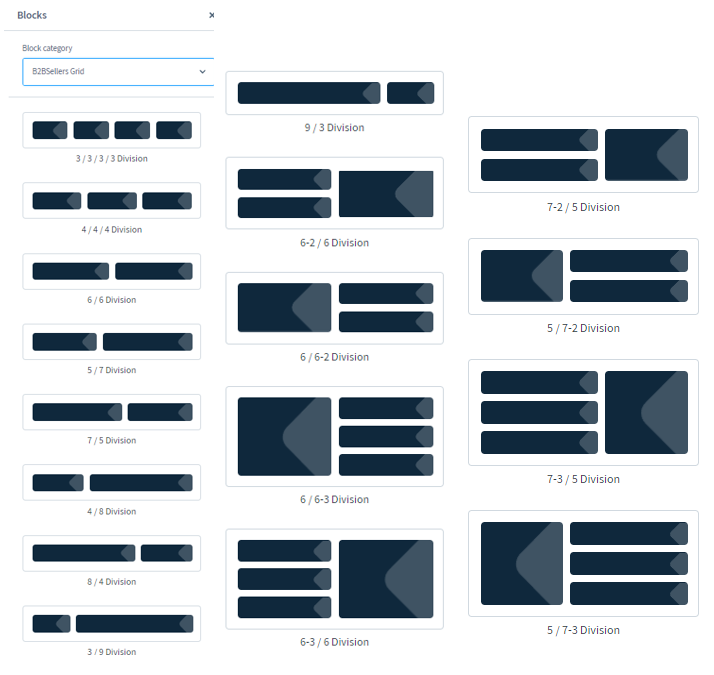
In our ShoppingWorld Block Collection plugin, we give you a set of possible block elements, which you can use freely.
Examples:
#### Mobile spacing in blocks and block #ID
In Shopware Standard you can set under "Block Settings > Layout" only the CSS classes, but no DIV # ID, which are used for example for anchor links.\
You will now find in the same place the field "CSS ID #", which you can fill.
In addition, in Shopware Standard there is only the possibility to set the spacing on all devices. In our plugin you can now also set the mobile spacing below 768px. Under "Block Settings > Margin (Mobile)" you can now also specify the distance to the top, left, right and bottom.
### Plugin: B2bBonusProgram
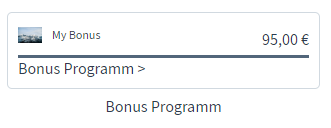
In this plugin, we have provided you with an element which displays and outputs the current bonus value. You can still make a few settings. We use it in the demoshop for example in the dashboard of the customer.
### Plugin: B2bSpareParts
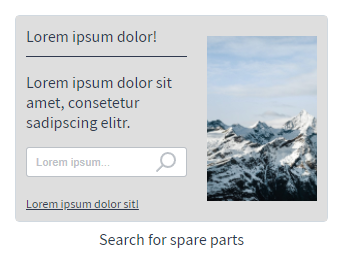
In this plugin we provided you an element, which you can use for the spare parts search. You can use this element for example on the start page for spare parts search.
---
# Agent Instructions
This documentation is published with GitBook. GitBook is the documentation platform designed so that both humans and AI agents can read, navigate, and reason over technical content effectively. Learn more at gitbook.com.
## Querying This Documentation
If you need additional information that is not directly available in this page, you can query the documentation by asking a question.
Perform an HTTP GET request on the following URL with the `ask` and `goal` query parameters:
```
GET https://docs.b2b-sellers.com/b2b-platform/3/developer-guides/b2bsellers-core-plugin/storefront.md?ask=&goal=
```
`ask` is the immediate question: it should be specific, self-contained, and written in natural language.
`goal` is what the user is ultimately trying to achieve, the reason they need the answer. Sharing it helps GitBook give you a better, more relevant answer. A goal is most helpful when it describes the outcome the user wants rather than restating the question. For example, with `ask=how do I create an API token`, a goal like `automate deployments from our CI pipeline` lets GitBook tailor the answer to that use case.
The response will contain a direct answer to the question and relevant excerpts and sources from the documentation.
Use this mechanism when the answer is not explicitly present in the current page, you need clarification or additional context, or you want to retrieve related documentation sections.