> For the complete documentation index, see [llms.txt](https://docs.b2b-sellers.com/b2b-platform/llms.txt). Markdown versions of documentation pages are available by appending `.md` to page URLs; this page is available as [Markdown](https://docs.b2b-sellers.com/b2b-platform/user-guide/available-add-ons/customer-specific-product-numbers.md).
# Customer Specific Product Numbers
The Customer-Specific Product Numbers add-on allows B2B buyers to map their own internal article numbers to your shop's products. This bridges the gap between the buyer's ERP system and your storefront, making procurement, searching, and reordering significantly more efficient.
## Configuration
### Display Preferences
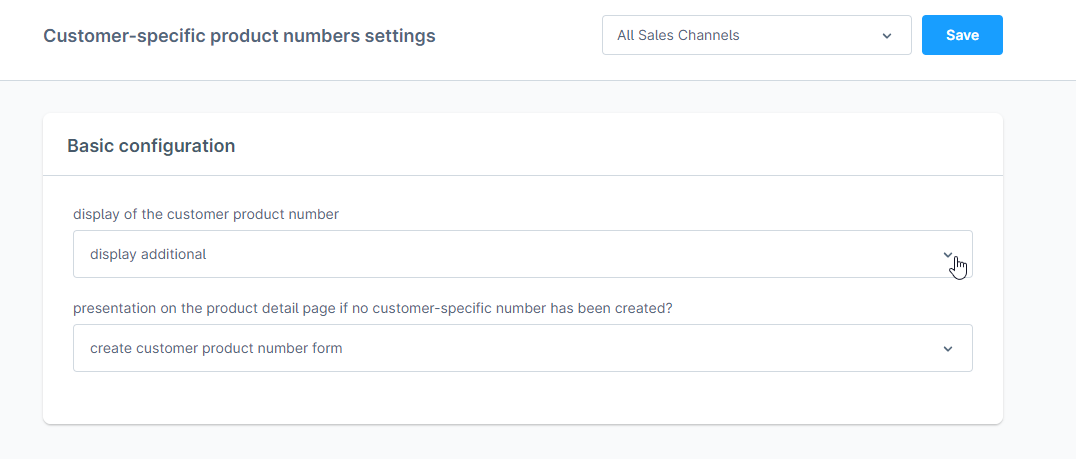
You can control how these numbers appear to your customers under "Display of the customer-specific product number":
* Not displayed: The numbers are used only for search logic in the background.
* Display additional: Both the shop’s number and the customer’s custom number are shown.
* Replace standard: The customer's number completely replaces the shop’s number in the frontend.
### Handling Missing Numbers
If a customer hasn't defined a number yet, you can choose how the Product Detail Page (PDP) reacts:
* Do not display hint: No visual change.
* Link to platform: Shows a link to the customer's product number management list.
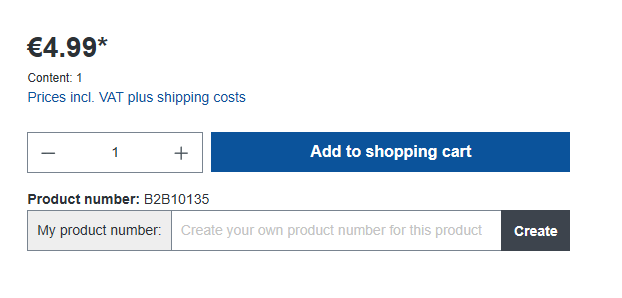
* Create form: Displays a text box directly on the PDP, allowing customers to save their internal number "on the fly."
## Managing Product Numbers
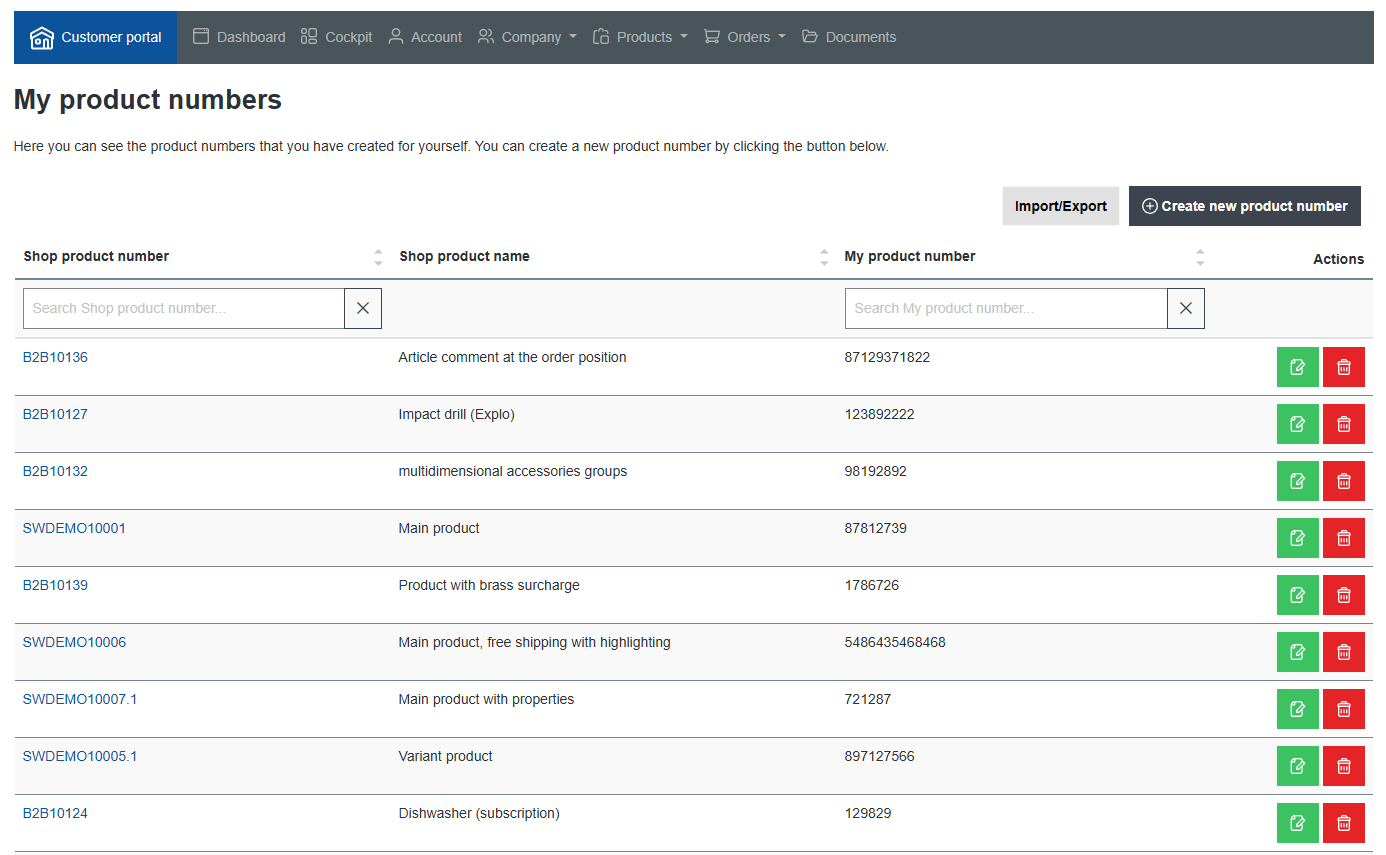
Customers manage their mappings within the B2B Platform under Company > My product numbers.
### Adding & Editing
* From the List View: Use the "Create new product number" button to link a shop SKU to a custom SKU via a modal. To edit, click the green icon on any row.
* From the PDP: If the "Create form" setting is active, customers can enter and save their number directly while browsing.
### Deleting
* List View: Click the red icon to remove a mapping. You can check "Do not ask again" to bypass the confirmation prompt for 24 hours when deleting multiple entries.
* PDP: Deletion is currently only available via the list view in the customer portal.
A look at the product numbers list view
## Enhanced Search Logic
The add-on integrates deeply with the Shopware search and the B2B Fast Order tool. Customers can enter their internal ERP numbers into any search field to find the corresponding shop product instantly.
## Frequently Asked Questions
> Can I use a custom number that already exists as a different shop SKU?
Yes. Your custom number and the shop’s SKU exist in different fields, so there is no conflict.
> If I search for a number that exists as both a custom SKU and a shop SKU, what happens?
The search logic is optimized to give the custom product number precedence over the standard shop article number.
> Can I accidentally assign the same custom number to two different products?
No. The system includes validation to ensure each custom number is unique within a customer's account, preventing duplicates.
---
# Agent Instructions
This documentation is published with GitBook. GitBook is the documentation platform designed so that both humans and AI agents can read, navigate, and reason over technical content effectively. Learn more at gitbook.com.
## Querying This Documentation
If you need additional information that is not directly available in this page, you can query the documentation by asking a question.
Perform an HTTP GET request on the following URL with the `ask` and `goal` query parameters:
```
GET https://docs.b2b-sellers.com/b2b-platform/user-guide/available-add-ons/customer-specific-product-numbers.md?ask=&goal=
```
`ask` is the immediate question: it should be specific, self-contained, and written in natural language.
`goal` is what the user is ultimately trying to achieve, the reason they need the answer. Sharing it helps GitBook give you a better, more relevant answer. A goal is most helpful when it describes the outcome the user wants rather than restating the question. For example, with `ask=how do I create an API token`, a goal like `automate deployments from our CI pipeline` lets GitBook tailor the answer to that use case.
The response will contain a direct answer to the question and relevant excerpts and sources from the documentation.
Use this mechanism when the answer is not explicitly present in the current page, you need clarification or additional context, or you want to retrieve related documentation sections.